
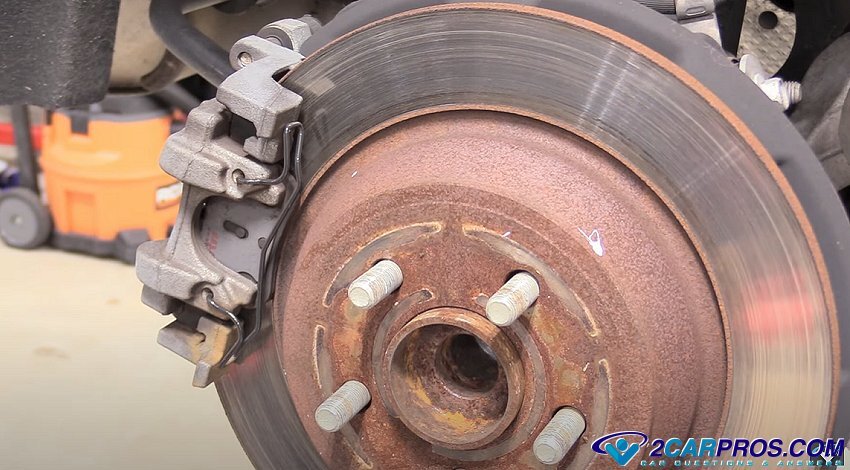
Replacing the rear brake pads and rotors is an easy job to do and can save you money in the process because brake replacement parts are relatively inexpensive. Rear brake pads are similar to a front brake job except on a front brake job there is no parking brake assembly to deal with. With that being said, there are two kinds of rear disc brake set up's which have to do with the brake caliper and parking brake itself. Rear brake pad design configuration may vary slightly, but the concept is the same.
PRO TIP: Only replace the brake pads on one side at a time (right or left rear) to avoid confusion, also snap a picture with your phone of the brake assembly as the job progresses for reference.
1. One style of parking brake will use the brake caliper to apply the parking brakes which will need to be reset during the job.
2. The second style of parking brake uses a small brake shoe arrangement inside the rotor hub to apply the parking brake pressure which will only require inspection.
You will know which one you have once the rear brake rotor has been removed, this guide shows how to do both styles of systems.
Tools and Materials Needed
- Jack and jack stands
- Wheel chocks
- Lug wrench
- Socket set
- Brake caliper reset tool or C-clamp
- Brake cleaner
- Brake fluid
- New brake pads
- New brake rotors
- Torque wrench
- Brake grease
- Work gloves and safety glasses
Getting Started
Begin with the vehicle on level ground, in park and the engine off with the parking brake released (important). Safely raise the car in the air and secure it on jack stands while removing the wheels. Wear safety gasses and gloves before you begin.
IMPORTANT: Most newer cars have automatic parking brake actuators which will need to be disabled before work begins. This procedure is different for each application which will be in the owners manual. If you are not sure how please ask one of our experts to help you for free.
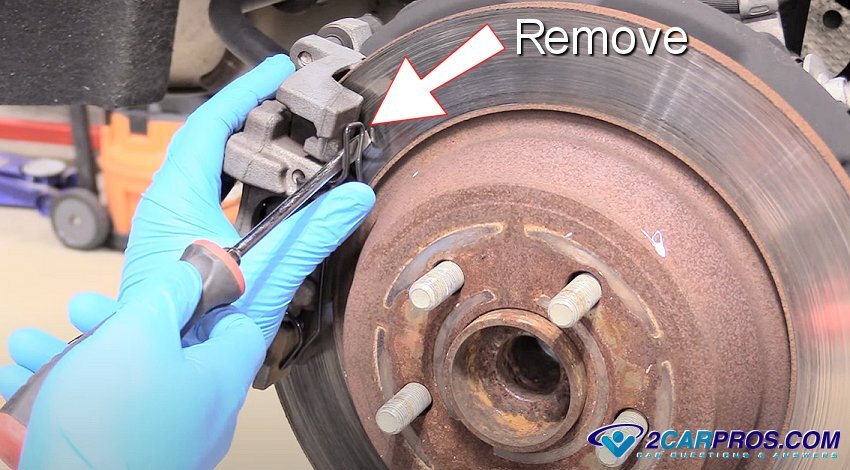
1. Begin removing the rear brake caliper which can sometimes have a retainer clip that can be undone by using a large standard screwdriver.
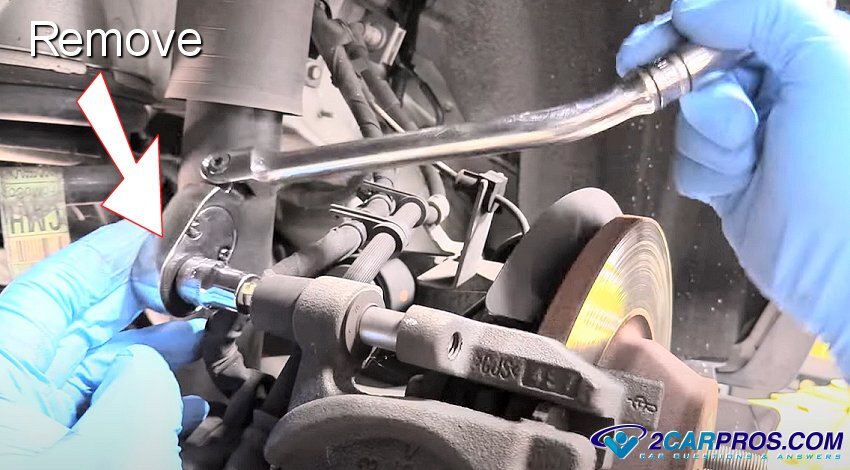
2. From the rear of the caliper remove the brake caliper mounting bolts (2) which might have protective plastic covers, (The bolt size will vary depending and the manufacturer, in this case it is a 10mm Allen).
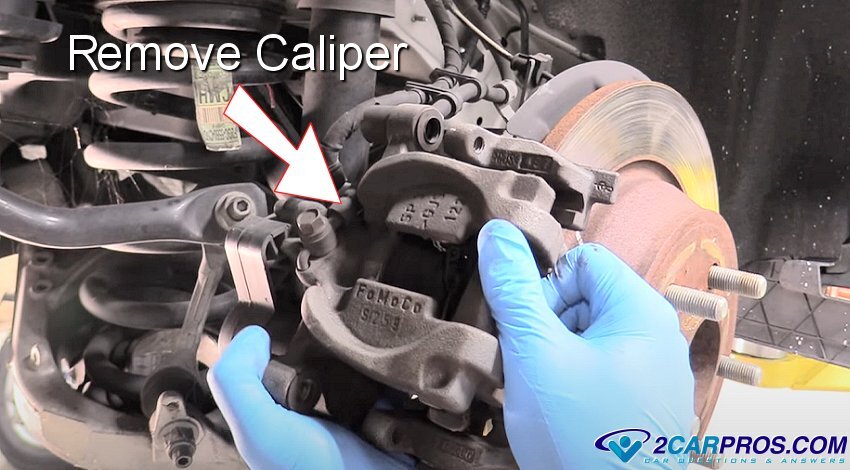
3. Wiggle the brake caliper back and forth to help loosen it from the rear brake rotor. Make sure the mounting bolts are pushed out of the way while lifting the caliper off of the rear brake pad retainer plate. Once loose, support the caliper using zip ties or bailing wire, (Do not allow the caliper to hang by the brake hose).
4. The rear brake pads will come off with the caliper or be left sitting in the brake pad retainer bracket, simply remove them for inspection. If you notice that one pad is worn much more that the other then please visit this guide to find out why - Uneven brake pad wear.
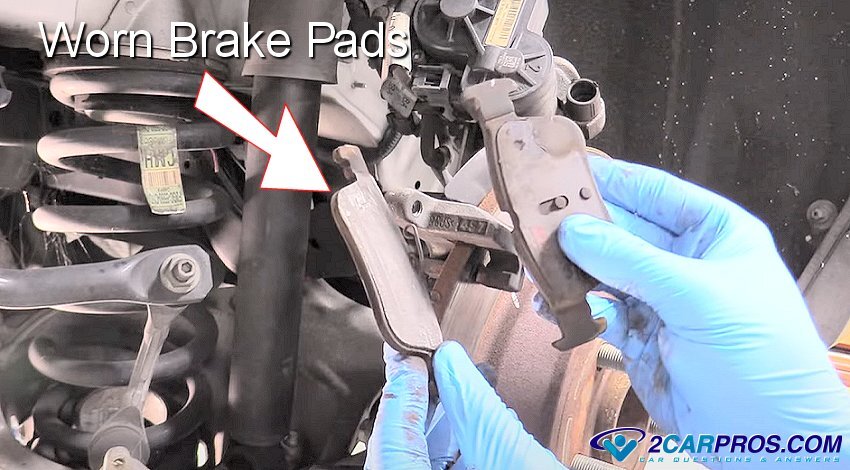
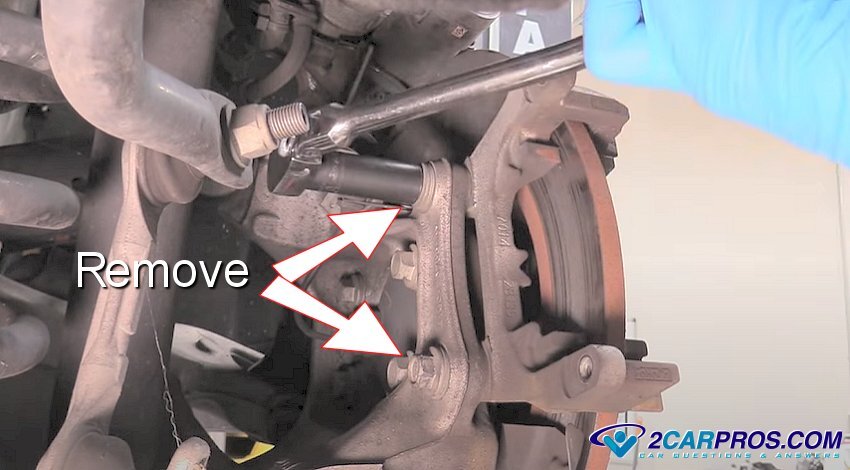
5. To remove the rear brake rotor for replacement loosen the caliper mounting bracket bolts and then remove them, these can be tight so be ready and use high quality tools.
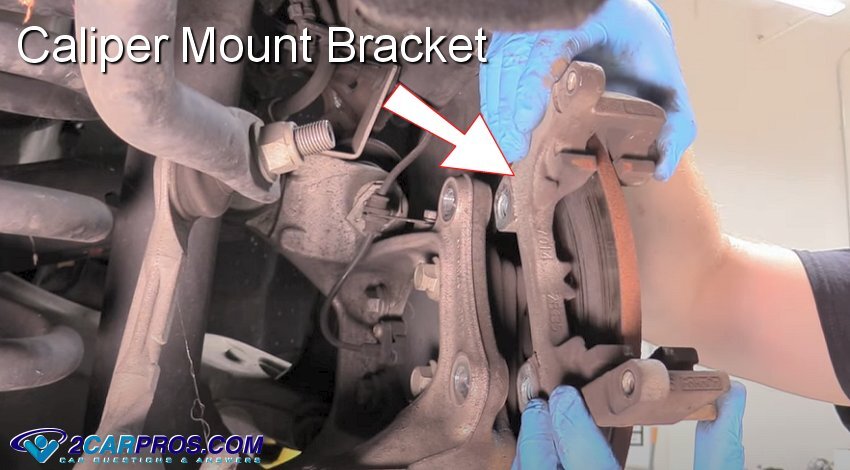
6. Grasp the caliper mounting bracket and lift it from the axle. Inspect the caliper slides on the bracket and service the slides by cleaning and adding a small amount of brake grease to lubricate. This guide will go into more detail - Service brake caliper slides.
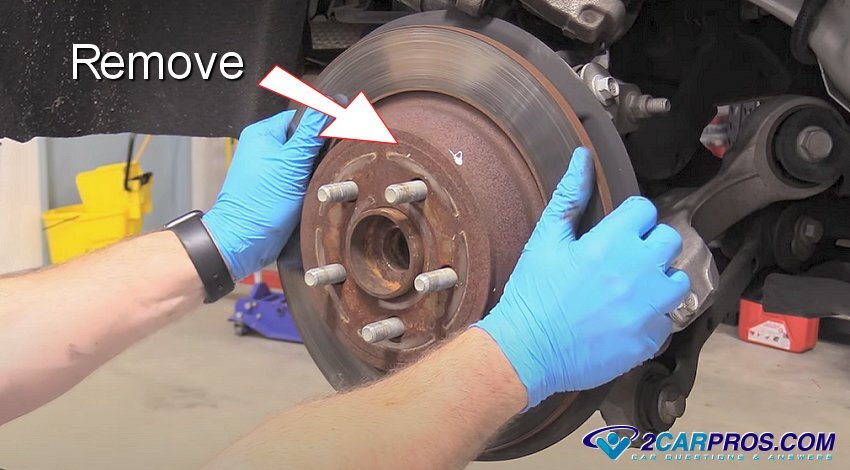
7. Grasp the rotor firmly to remove it from the bearing hub, if the rotor is stuck use a hammer and strike the rotor near the edge of the axle flange, this will force the rotor free., (Do not strike the wheel studs) if the rotor is still stuck please use this guide - Stuck rear brake rotor.
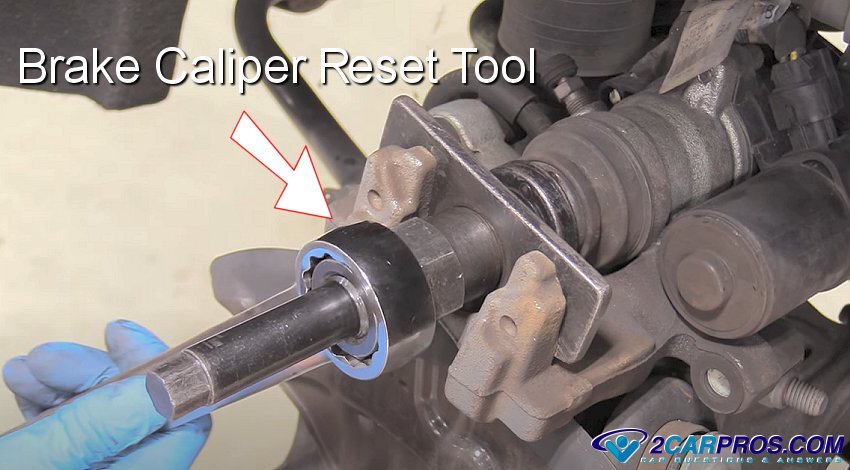
8. If you have the integrated rear caliper parking brake arrangement you will need to use a caliper reset tool which is shown below, this reset tool will help screw the piston back into the caliper, (clockwise). These calipers cannot be compressed with a clamping tool, it can only be retracted by using the reset tool. If you have troubles using this tool please use this complete guide to help you - Rear brake caliper reset tool.
If you have the non-integrated brake caliper, install an old brake pad as a buffer between the tool and the caliper piston(s). Use a large "C" clamp or channel locks to press the caliper piston(s) inward until fully retracted.
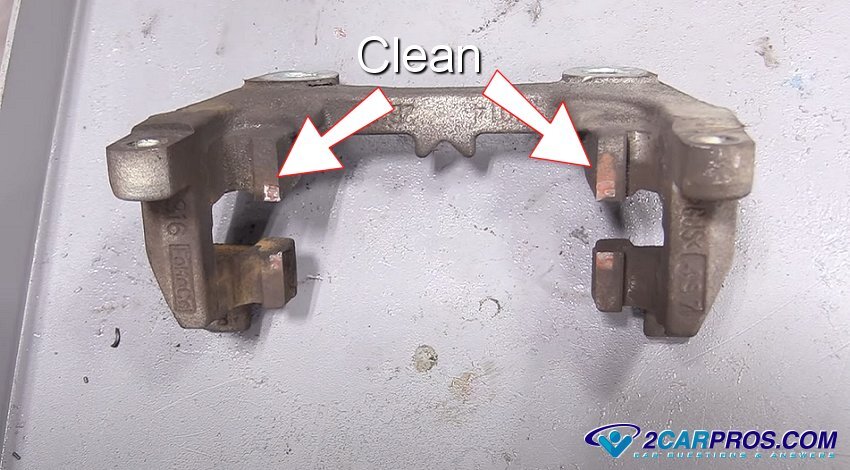
9. On the brake caliper mounting bracket use a wire brush and brake cleaner to wipe away any rust or dirt on the rear brake pad mount surface.
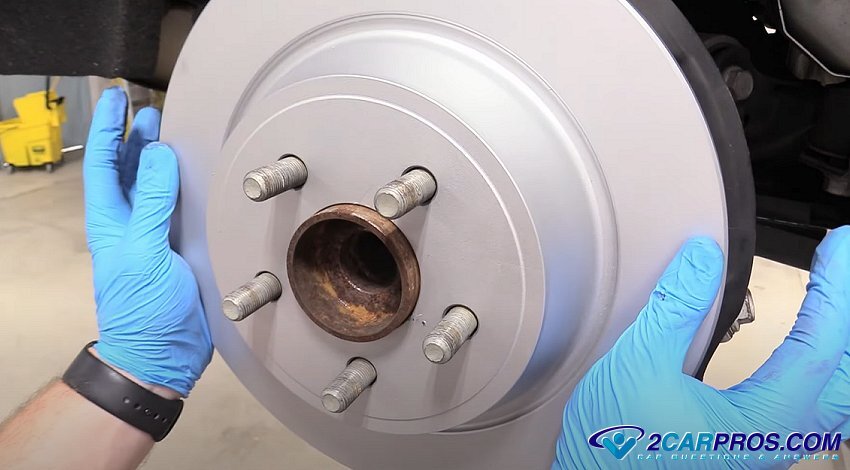
10. Match the old brake rotor to the new one, then clean the brake surfaces using brake cleaner and also clean the bearing hub rotor mounting surface. This will ensure the rotor sits flat on the hub to avoid brake pedal pulsation. Also, reinstall the caliper mounting bracket and torque to the manufactures specifications.
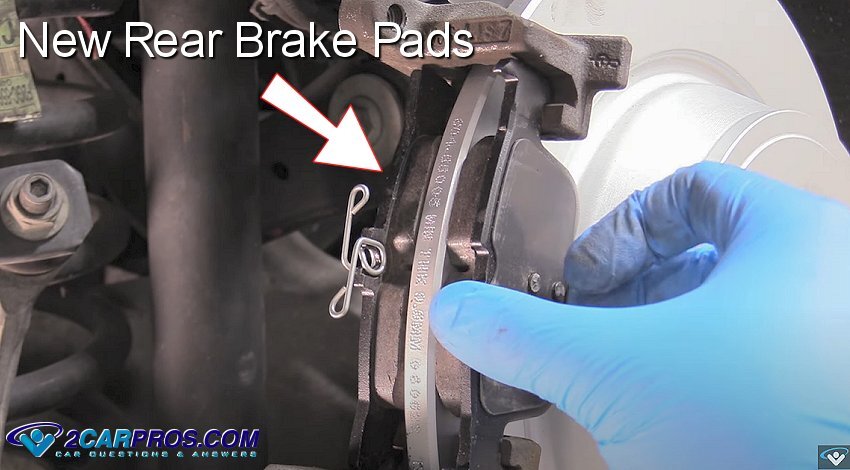
11. Remove the new rear brake pads from the box and match to the worn pads to ensure proper fit. Also, some brake pads are designed to work with retainer clips or slides which will be included with the new brake pads (not shown). Re-install the new rear brake pads as they were removed. Be sure the locating tab on the rear of the inboard brake pad is fitted into the slot of the caliper piston. Note: Do not apply grease to the rear of the brake pads.
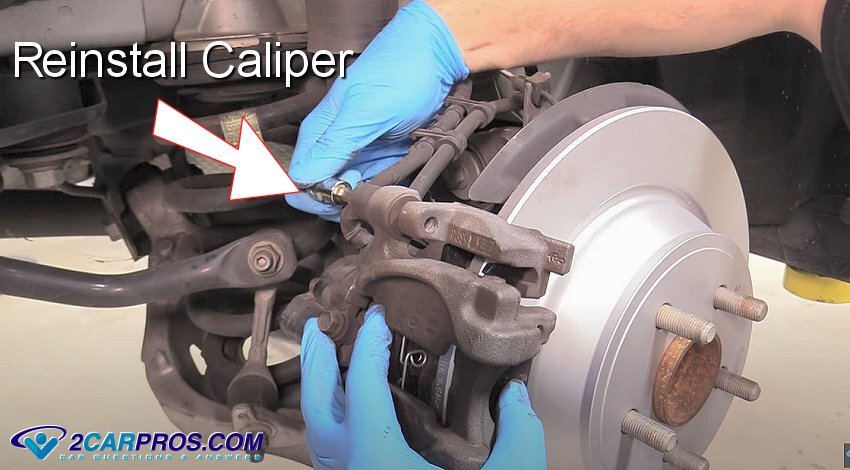
12. Next, install the brake caliper onto the brake pads and caliper mounting bracket while retracting the brake caliper slides. This can take some doing so hang in there, (do not use a hammer to install the caliper to avoid damage). Once the caliper is in place, reinsert the caliper mounting bolts and tighten to factory specifications. Complete the job by duplicating this procedure on the opposite side.
13. Once both sides have been completed, slowly press the brake pedal down, then, slowly allow the pedal to return to its original position. Then, initiate the parking brake several times to continue the process, this will bring the brake pads to the rotor. At this time you should have good brake pedal position. Check the brake fluid level and top it off if necessary.
Conclusion
After completing the job check the brake pedal operation. Because the system was never opened, brake bleeding should not be necessary, but if the pedal is spongy, bleed the brake system, (Never operate a vehicle without normal brake pedal operation). While driving the vehicle, listen for strange noises as this is an indication of a problem in which your repairs will need to be re-inspected. Perform a test drive at low speeds to ensure the brakes are working correctly. Listen for any unusual noises and ensure the vehicle stops smoothly.
Watch the Video!
Please watch this video of the job being done to glean additional helpful information.
Credits
This guide knowledge base was created by the 2CarPros Team, and by Ken Lavacot: Automobile repair shop owner and certified master automobile technician of over 30 years. If you have question or need help please ask one of our experts we are happy to help. Please visit our 2CarPros YouTube Channel for additional car repairs.