Entertainment screen not operating even after replacing it

2013 FORD ESCAPE
82,000 MILES • 2.0L • 4 CYL • TURBO • 2WD • AUTOMATIC
Avatar
DABENSTERS
  • MEMBER
  • 4 POSTS
My entertainment system just stopped working while driving and using it. It just turned off. Never to turn on again. I check fuses and found one that was blown. And replaced it.
Nothing changed. Still not working. Ordered a new OEM head unit. Installed it nothing changed. Stuck and confused as to what’s going on.
Mar 14, 2020 at 11:23 AM

Advertisement
Avatar
KASEKENNY
  • CERTIFIED EXPERT
  • 18,907 POSTS
Okay. We need a little more info. Which size screen do you have? Looks like it could be the 4.2 inch, Monochromatic with 6 speakers, or the 8 inch touch screen.

More than likely you have some codes. Can we check for codes as well?

If there are no codes then more then likely the screen has failed. However, there are some tests that that we can do.

Let me know if there are codes and which radio and we can go from there. Thanks
Mar 14, 2020 at 12:48 PM
Avatar
DABENSTERS
  • MEMBER
  • 4 POSTS
8 inch sync head unit I have gotten a replacement screen. Still no luck. No audio either through the speakers.
Mar 14, 2020 at 12:50 PM
Advertisement
Avatar
KASEKENNY
  • CERTIFIED EXPERT
  • 18,907 POSTS
Okay. That makes more sense and was my next question if you had audio or not.

Can you give me a list of part numbers that you have replaced? Reason is there are multiple modules and other components that are involved with this and I think I know what the issue is but clearly if you already replaced it then we can move on. Part numbers of the components will allow me to see what the technical name for each is. Thanks
Mar 14, 2020 at 7:13 PM
Avatar
DABENSTERS
  • MEMBER
  • 4 POSTS
Part number was CJ5T-18B955-FC. I’m just stumped. Not feeling like this is a $500.00 dealership fix.
Mar 15, 2020 at 9:10 AM
Avatar
KASEKENNY
  • CERTIFIED EXPERT
  • 18,907 POSTS
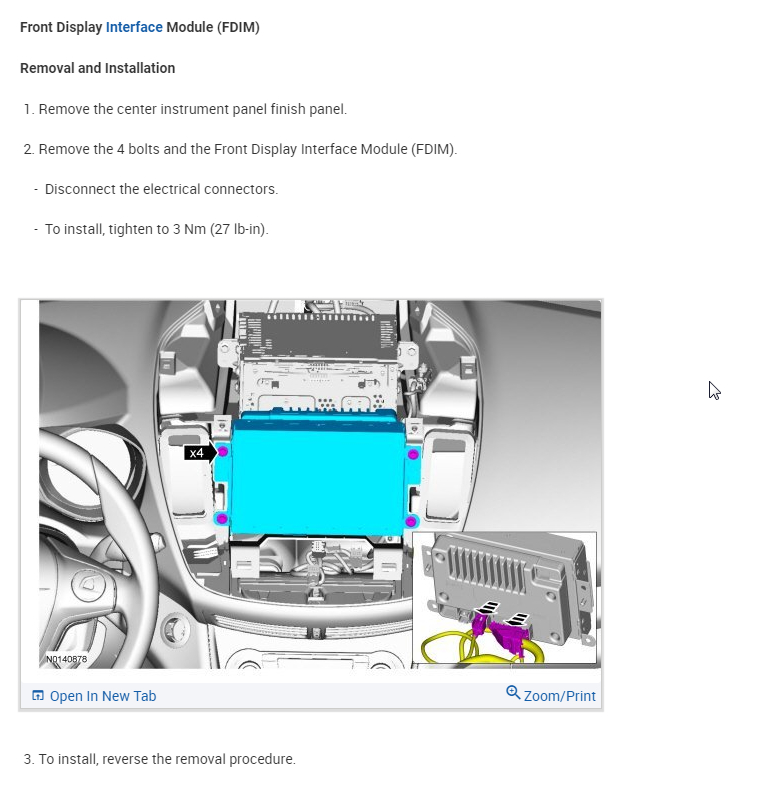
Just to clarify, the part number you gave me is for the display unit only (FDIM). I thought you said you put the radio unit in it as well.

Is this the only part that you have put in it? CJ5T-18B955-FC

If not, what is the part number for those parts as well? Thanks
Mar 15, 2020 at 3:44 PM
Avatar
DABENSTERS
  • MEMBER
  • 4 POSTS
I only put the screen. No radio part. Are you thinking it’s the radio part?
Mar 15, 2020 at 3:45 PM
Avatar
KASEKENNY
  • CERTIFIED EXPERT
  • 18,907 POSTS
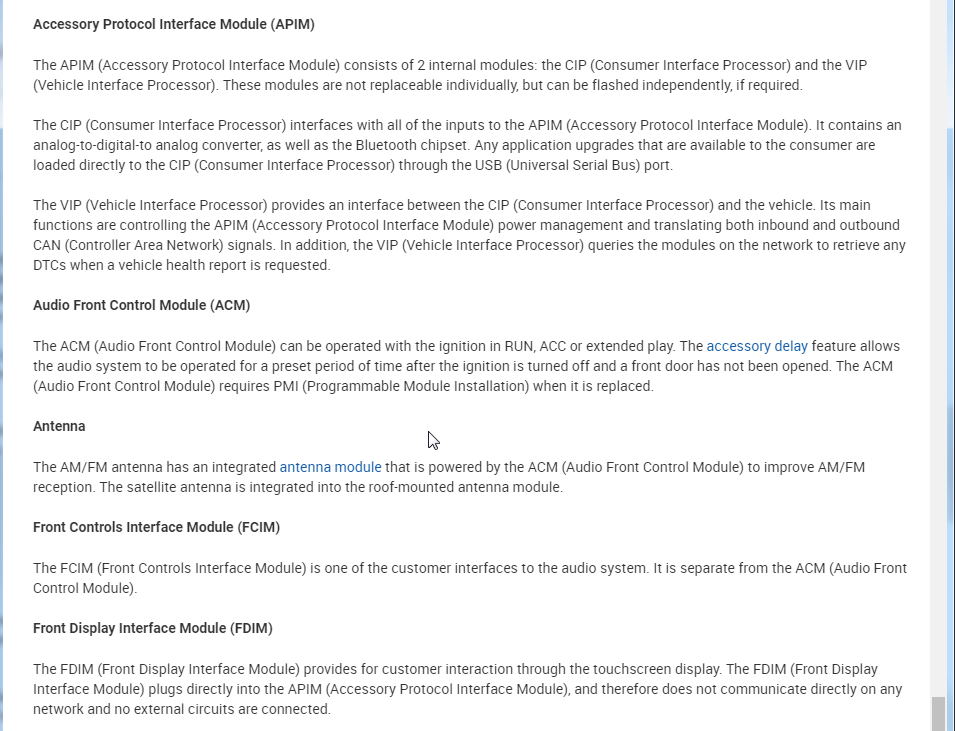
Yeah. The screen just displays what is sent to it. The fact that you don't have audio either points to the control side. Here is the problem, you have what is called the FCIM and the ACM. The ACM actually controls the audio portion of the radio however, the FCIM controls your interface with the audio system (ACM).

The only way to know which one of these is causing this issue is to hook a scan tool to it and see which module is on the communication network.

At this point we are guessing but simply due to the fact that you have no audio or touch screen, I suspect the FCIM is the issue.

Refer to the attachment in my prior post for the detail on these two modules.
Mar 15, 2020 at 6:24 PM